How to Maintain Your Direct Thermal Label Printer
Using a direct thermal label printer for your business comes with many benefits, but without the proper care, you might find that some of your printing either comes out faded, blotched, or unclear. While a printhead to a direct thermal printer can last a long time, proper cleaning will help keep it from getting damaged before it reaches the end of its life cycle. Here are our tips for ensuring the best quality of your prints by going directly to the source.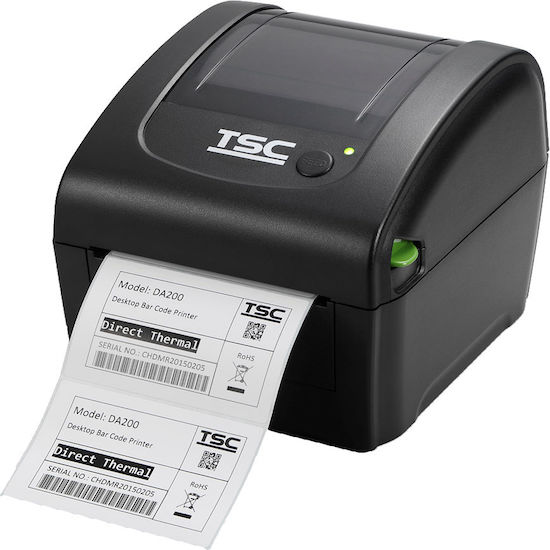
Schedule a cleaning frequently. A malfunctioning or damaged printhead can be avoided if your printer is regularly maintained, saving you from any downtime or wasted materials. For printers that actively print high-volumes of work, or are in moderate use but using heavy stock, security foils, or coated materials, it’s important to clean the printer daily to remove any dust particles and reduce residue build-up. Printers that are in moderate use can benefit from a cleaning twice a week to remove anything that can contaminate the printhead. print head cleaning
How to Clean The Print Head
Control and clean the environment. A dusty or moist environment can affect the quality of your prints. Moisture can allow damage the printhead, so controlling the humidity of in the room where your printer is should also be taken into account in protecting your printer. Dusty or dirty environments can also get trapped and dirty the printhead, so maintaining a clean environment for your printer will go a long way in reducing any problems for foreign particles.
Use appropriate cleaning solutions. Isopropyl alcohol and special cleaning pads are recommended for cleaning your printhead since they quickly and leave no residue behind. In addition, be careful while cleaning the printhead by removing jewelry and handing the printer carefully in order to avoid scratches and permanent, costly damage.
Use quality materials. Another aspect that can affect your printhead is the quality of the label material. Buying quality labels or stock will not only allow your prints to come out clearer but also work with your printer to ensure the best rate of investment.

Comments
Post a Comment